Download our three free VST3 plugins: RealSynth.NET, Kombinuid and Sidechanger. Explore the original plugin archive and future release ideas.
Products in one place.
Search automatically opens the matching category. Click a tab to browse everything in that section.
Freeware · 3 free VST3 plugins
Freeware collection · Registration required
All currently released free VST3 plugins are listed here. Each release includes a full description, screenshot, ZIP download and its own independent download counter. A free user account with verified email is required to download. Additional freeware plugins can be added to the same structure later.
Displayed plugin screenshots and legacy references may show the original release. The version labels above are updated from the currently published ZIP when available.
Available now · Free VST3 instrument
RealSynth.NET V1.1.0
Our freeware instrument for Windows 64-bit. Discover the sound-shaping controls, download the current release ZIP and install it in your compatible VST3 host.
Free · €0Windows x64VST3 instrument
Category
Virtual instrument / synthesizer
Version
1.1.0
Format
VST3 · 64-bit Windows
Download
ZIP with English installation guide
Price
Freeware · Free account required
—recorded download requests
Reference date: October 24, 2026
Counting begins when the download link is first activated on the website. Earlier downloads are not included; the count represents requests, not unique visitors.
Windows 64-bit · VST3 · Latest published ZIP · Installation guide included
Complete function overview
Explore the instrument controls.
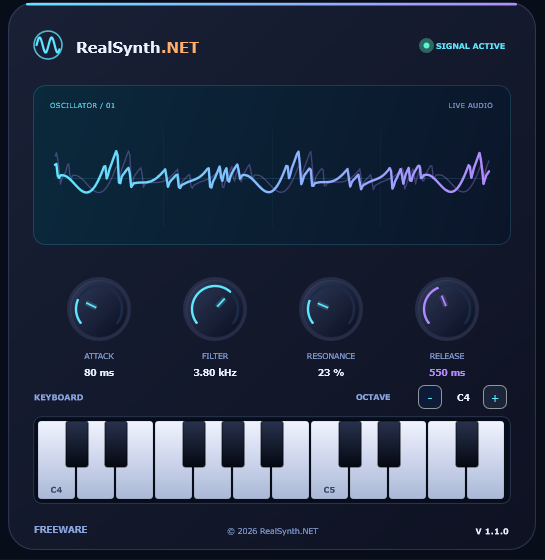
The features below describe the controls shown in the provided VST3 interface.
Attack
Adjusts how quickly a played note reaches its level after you press a key. Shorter attack settings produce a sharper start; longer settings create a gentler fade-in.
Filter cutoff
Shapes the brightness of the sound by adjusting the filter cutoff frequency. Lower values generally produce a more subdued tone; higher values retain more high-frequency detail.
Resonance
Emphasises frequencies around the filter cutoff, allowing you to add character and a more pronounced filter effect to a sound.
Release
Sets how the volume fades after a note is released. Shorter release values end notes more quickly; longer values allow a smoother tail.
On-screen keyboard
The piano-style keyboard displays the available notes, while the octave controls let you navigate the keyboard range. MIDI performance is handled by your compatible host DAW.
Live waveform display
The built-in oscilloscope-style panel visualises the generated audio signal, giving you immediate visual feedback while exploring the instrument.
Included & compatibility
What you get
Product
RealSynth.NET V1.1.0
License offering
Freeware · Free of charge (not represented as open-source software)
Platform
Windows · 64-bit (x64) VST3 binary
Plugin format
VST3 instrument, for a compatible DAW
Standalone app
No · a VST3-compatible host is required
Download contents
RealSynth.NET.vst3 and RealSynthNET_Installation_EN.txt
Price
€0.00 · No checkout · Free account required
The provided installation guide describes Windows setup and an FL Studio plugin scan. Mac, Linux, VST2 and AU builds are not included. Compatibility with individual DAWs and versions has not been independently verified here.
Installation
Install in a few steps
Download the free RealSynth.NET ZIP archive.
Close your DAW and extract the ZIP file.
CopyRealSynth.NET.vst3 into C:\Program Files\Common Files\VST3\. If your Windows system displays it as a folder/package, copy the entire folder.
Restart your DAW and run its VST3 plugin scan if necessary.
Load RealSynth.NET as an instrument on a track or channel.
In FL Studio, open Options → Manage plugins → Find installed plugins to scan for the instrument.
Installation guide included in ZIP
The English RealSynthNET_Installation_EN.txt also contains update and troubleshooting instructions.
Ready to make music?
The published freeware ZIP includes the VST3 instrument and installation instructions. A free account and a €0.00 licence are required. No payment is needed.
RealSynth.NET, Kombinuid and Sidechanger are current freeware downloads. The original plugins shown in the Legacy Archive were officially discontinued after their releases around 20 years ago and are no longer distributed or supported separately.
SECOND FREEWARE PLUGIN
Available now · Free VST3 instrument
Kombinuid V1.2.0
Kombinuid is a free Windows 64-bit VST3 hybrid synthesizer that combines all five instruments featured in the RealSynth.NET Legacy Archive into one modern plugin: OctaVirus, Phazuid V3, Phazuid V4, Pianguid and Synthdruid.
Originally programmed around 20 years ago, those individual plugins have been officially discontinued and withdrawn from the active product lineup. Kombinuid brings their heritage together with six oscillator sections, layered sound design, a piano layer, modulation, envelopes and built-in effects.
Free · €0Windows x64VST3 instrument
Category
Hybrid synthesizer instrument
Version
1.2.0
Format
VST3 · 64-bit Windows
Factory sounds
256 presets included
Download
ZIP with English installation guide and freeware license
Price
Freeware · Free account required
—recorded Kombinuid download requests
Reference date: October 25, 2026
Counting begins when the download link is first activated on the website. Earlier downloads are not included; the count represents requests, not unique visitors.
Windows 64-bit · VST3 instrument · Latest published ZIP · Installation guide included
From the original archive to one hybrid instrument
Five discontinued classics. One freeware instrument.
Kombinuid combines the instrument concepts of OctaVirus, Phazuid V3, Phazuid V4, Pianguid and Synthdruid in a single VST3 instrument. The originals were created around 20 years ago. They are now officially discontinued, removed from the active product range and no longer offered or supported as separate plugins.
You can still explore their original interfaces in the Legacy Archive. That archive is for historical reference only; the currently published freeware instrument is Kombinuid V1.2.0.
Complete function overview
Explore Kombinuid.
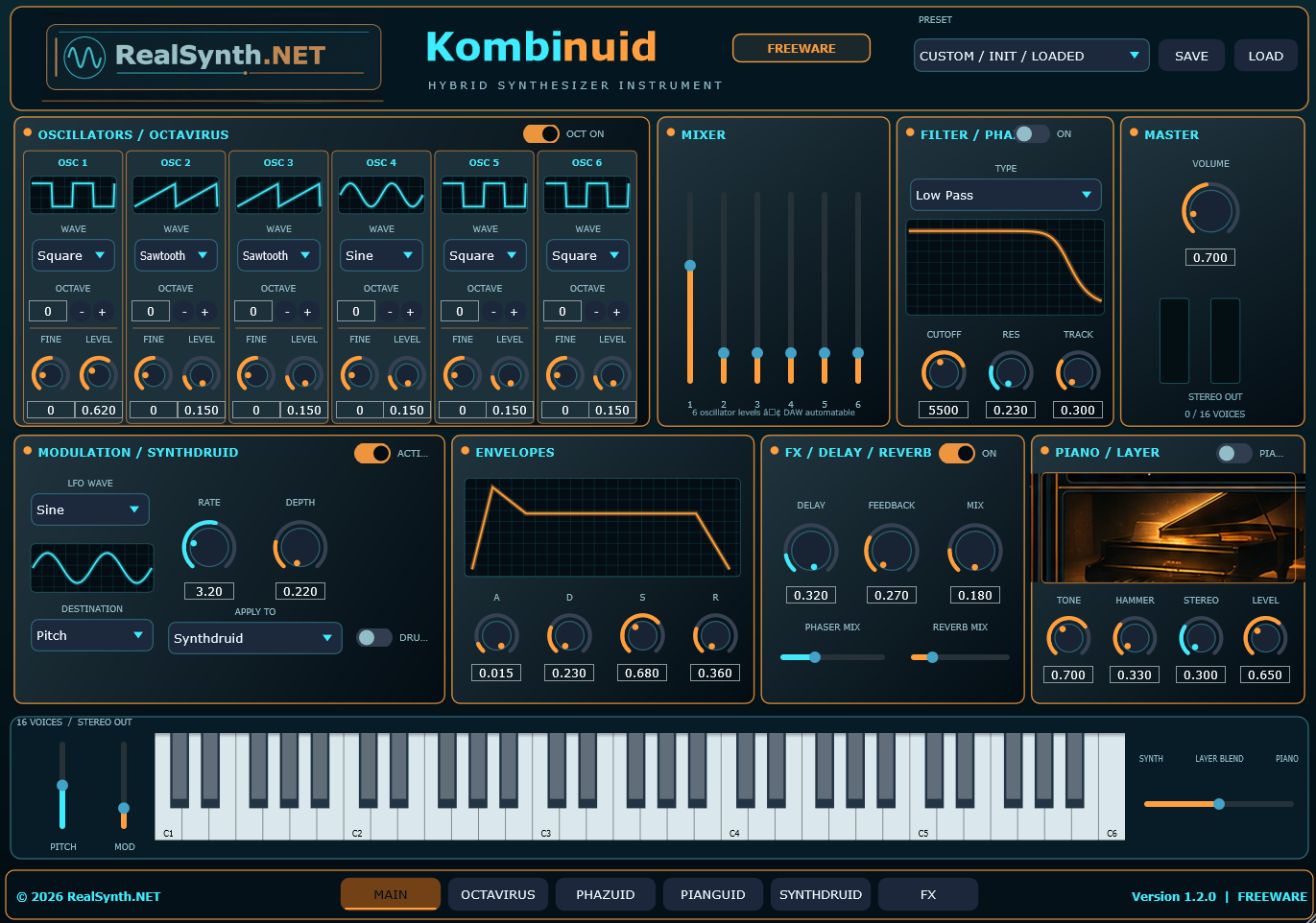
The supplied screenshot shows a rich hybrid instrument with multiple synthesis sections and performance-oriented controls.
Multi-oscillator engine
Six oscillator slots provide the core sound source, each with selectable waveforms, octave controls, fine tuning and individual level settings.
Five classic instruments united
All five archived RealSynth.NET plugins—OctaVirus, Phazuid V3, Phazuid V4, Pianguid and Synthdruid—are brought together in Kombinuid. The original individual plugins are discontinued and no longer supported.
Mixer section
A dedicated mixer lets you balance the level of multiple oscillator sources before they reach the filter, effects and master output.
Filter & phase shaping
The filter section provides type selection and direct control over cutoff, resonance and tracking. A phase switch and graph offer additional timbral shaping.
Modulation, envelopes & FX
Use the modulation section, ADSR envelope controls and the built-in delay, reverb and phaser-style processing to shape movement and space.
Piano layer & keyboard
A separate piano layer expands the palette with tone, hammer, stereo and level settings, while the full keyboard and blend controls support performance and layering.
Included & compatibility
What you get
Product
Kombinuid V1.2.0
License offering
Freeware · Free of charge for personal and commercial music use under the included license
Platform
Windows · 64-bit (x64) VST3 binary
Plugin format
VST3 instrument, for a compatible DAW
Standalone app
No · a VST3-compatible host is required
Download contents
Kombinuid.vst3, installation guide and freeware license
Factory presets
256 sounds for Dance, Electronic, Trance, Techno and related styles
The included installation guide describes Windows setup, VST3 placement and a plugin rescan in a compatible DAW such as FL Studio.
Installation & usage
Install Kombinuid
Download and extract Kombinuid.zip.
Locate Kombinuid.vst3.
Copy the complete plugin file or package to C:\Program Files\Common Files\VST3\.
Open your DAW, run a plugin scan or rescan, and locate Kombinuid in the instrument list.
Insert Kombinuid on an instrument track and play it with MIDI notes.
The included English installation guide also covers preset handling, troubleshooting and the fact that this download is a VST3 plugin rather than a standalone application.
Free download · Kombinuid hybrid synthesizer
Kombinuid 1.2.0 Freeware is offered as a no-cost Windows VST3 instrument. The included license permits use in personal and commercial music productions. A separate Kombinuid Pro edition may be planned for the future, but it is not part of this freeware download.
THIRD FREEWARE PLUGIN
Available now · Free VST3 effect
Sidechanger — Freeware V1.4.6.
Sidechanger is a free 64-bit Windows VST3 audio effect for shaping ducking, rhythmic pumping and frequency-dependent dynamics. Explore the detector EQ, threshold and envelope controls, then download the currently published ZIP to use the effect in a compatible VST3 host.
Freeware · €0Windows x64 · VST3 effectInstallation guide included
—recorded Sidechanger download requests
Reference date: October 25, 2026
This independent counter starts at zero when Sidechanger downloads begin through this website. It counts accepted requests, not unique people or verified completed downloads.
Category
VST3 audio effect (not an instrument)
Current release
1.4.6
Platform
Windows x64
Price
Free · No login or checkout
File
Sidechanger.zip · 2.66 MiB
Contents
Plugin + English installation instructions
Version information
The original Sidechanger v1.4.6 ZIP included an installation guide referring to v1.1.0. The bundled historical screenshot shows v1.4.5 and the promotional video shows v1.4.3. A screenshot uploaded with a newer release replaces the image displayed above automatically, while the promo video remains historical. The version label and My Licences download reflect the currently published release.
Windows x64 · VST3 audio effect · Latest published ZIP · Installation guide included
Watch the 60-second introduction
See the interface, ducking response, detector EQ, beat-pump shaping, LFO movement and preset handling in the supplied Sidechanger promo. Audio is played only when you start the video.
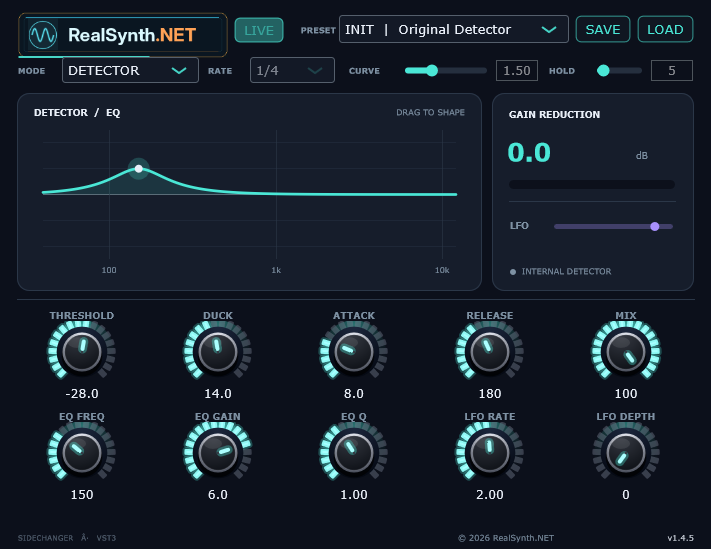
Features visible in the provided screenshot and introduction video:
Detector & adjustable EQ
Focus the internal detector on selected frequencies. Shape the response with EQ Frequency, Gain and Q, including a draggable EQ curve.
Ducking & gain reduction
Use Threshold and Duck controls to shape how the level responds. Refine the envelope with Attack and Release and follow the gain reduction on screen.
Tempo-based pumping
Switch between detector-based operation and tempo-synced beat-pump patterns. Rate, Curve and Hold controls help define the rhythm and rebound.
LFO movement & dry/wet mix
Use LFO Rate and Depth for additional movement, then blend the processed and original signal with Mix.
Presets, Save & Load
Explore ready-made pumping presets, and use the visible Save and Load controls for custom settings.
Made for creative electronic production
The supplied promo demonstrates rhythm-oriented pumping examples and the effect interface. Musical results depend on your host, source audio and settings.
Free download · Sidechanger VST3 effect
The published Sidechanger ZIP contains the Windows x64 plugin. A free account and a €0.00 licence are required. No payment is needed. The promotional video shows the earlier v1.4.3 interface; the supplied screenshot shows v1.4.5. Your free licence provides access to the currently published ZIP.
ZIP SHA-256: 4f9d40b6989bcf7e2b649f0f8ed0c901cc1b7d412c05601514440c707ec3f543
Windows installation
How to install
Close your DAW and download the free Sidechanger ZIP.
Extract the ZIP and locate Sidechanger.vst3.
Copy the plugin into C:\Program Files\Common Files\VST3\. If the plugin appears as a folder/package, copy it completely.
Reopen your DAW, scan VST3 effects, and load Sidechanger onto an effect track or channel.
In FL Studio, select Options → Manage plugins → Find installed plugins. The included English text guide also covers updates and troubleshooting.
No freeware plugins match your search. Try “RealSynth.NET”, “Kombinuid”, “Sidechanger” or clear your search.
Officially discontinued · Historical archive · No support
OctaVirus, Phazuid V3, Phazuid V4, Pianguid and Synthdruid were originally programmed about 20 years ago. Each original plugin has been officially discontinued and removed from the active RealSynth.NET product lineup. This archive preserves their historic screenshots only; no separate downloads, updates, purchases, compatibility help or technical support are offered. Their legacy has been combined into the current Kombinuid V1.2.0 freeware instrument.
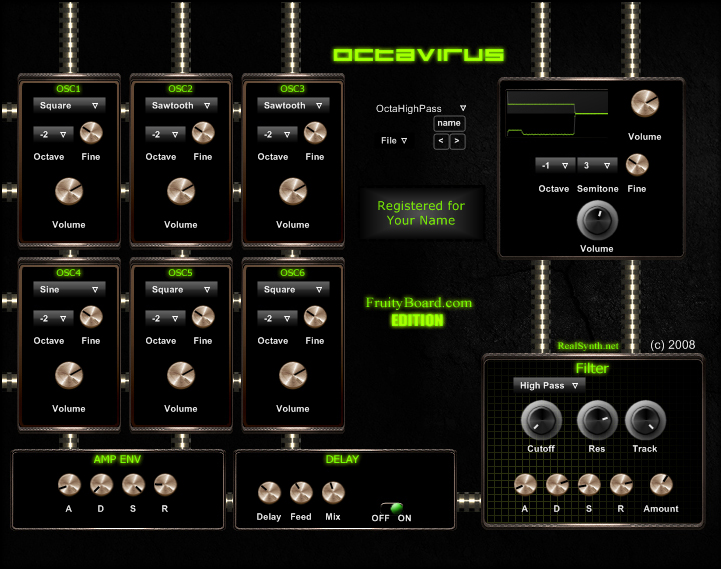
OctaVirus
Legacy instrument plugin archive entry
Archive
A classic RealSynth.NET instrument interface presented again as part of the historical archive.
Officially discontinuedNo support available
Era
Historical release / legacy project
Status
Discontinued · Archive only
Support
No support anymore
Purchase
Not for sale
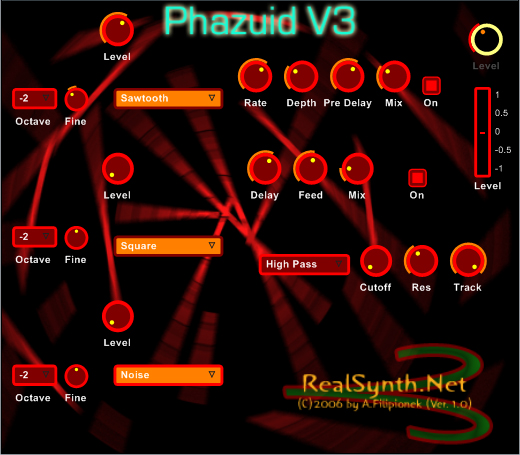
Phazuid V3
Legacy instrument plugin archive entry
Archive
Shown as a preserved snapshot of earlier RealSynth.NET plugin design and development work.
Officially discontinuedNo support available
Era
Historical release / legacy project
Status
Discontinued · Archive only
Support
No support anymore
Purchase
Not for sale
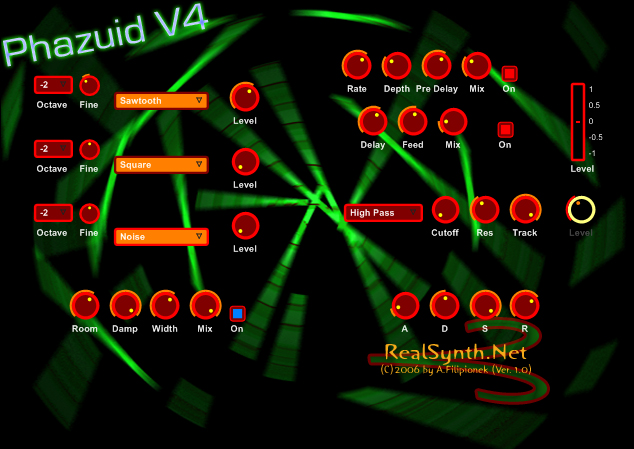
Phazuid V4
Legacy instrument plugin archive entry
Archive
A later interface variation in the Phazuid line, included here strictly for archive presentation.
Officially discontinuedNo support available
Era
Historical release / legacy project
Status
Discontinued · Archive only
Support
No support anymore
Purchase
Not for sale
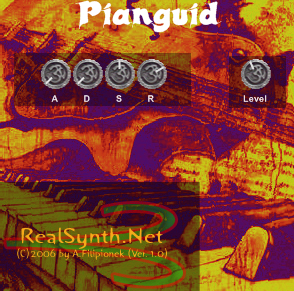
Pianguid
Legacy instrument plugin archive entry
Archive
An older RealSynth.NET instrument concept, revisited visually as part of the archive collection.
Officially discontinuedNo support available
Era
Historical release / legacy project
Status
Discontinued · Archive only
Support
No support anymore
Purchase
Not for sale
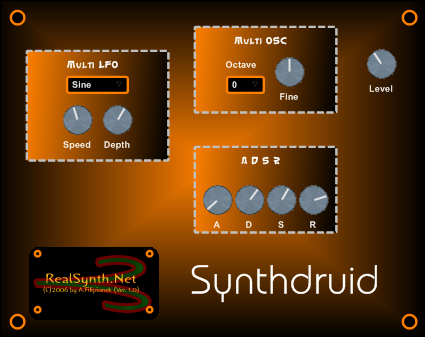
Synthdruid
Legacy instrument plugin archive entry
Archive
A historical interface screenshot kept here as part of the legacy RealSynth.NET plugin archive.
Officially discontinuedNo support available
Era
Historical release / legacy project
Status
Discontinued · Archive only
Support
No support anymore
Purchase
Not for sale
No archived plugins match your search. Try “Phazuid”, “OctaVirus” or clear your search.
Future products · Preview only
The listings in this section are placeholders for possible future releases. There is no active shop or checkout. Our three downloadable VST3 plugins are available free of charge in the Freeware tab, and future freeware releases can be added there as well.
Future releases.
Ideas for potential future products and downloadable content, not announced products for sale.
Placeholder
Future VST Instruments
A reserved space for any new synthesizers, instruments or sound generators that may be released in the future.
Future releasePurchase option planned
Placeholder
Future Downloads & Bundles
A future area for downloads, content packs, sound banks or bundle offers, should those become part of RealSynth.NET later.
Future releaseComing later
No future product placeholders match your search. Try “downloads”, “instruments” or clear your search.